
Tank Farm & Inventory
What is a tank management system? From level readings to tank tickets and stock
A tank management system (TMS) collects ATG data from every tank, calculates standard volume, records stock movements and issues tank tickets.
- Topic
- Tank Farm & Inventory
- Updated
- 13 November 2026
- Reading time
- 6 min
- Sections
- 8
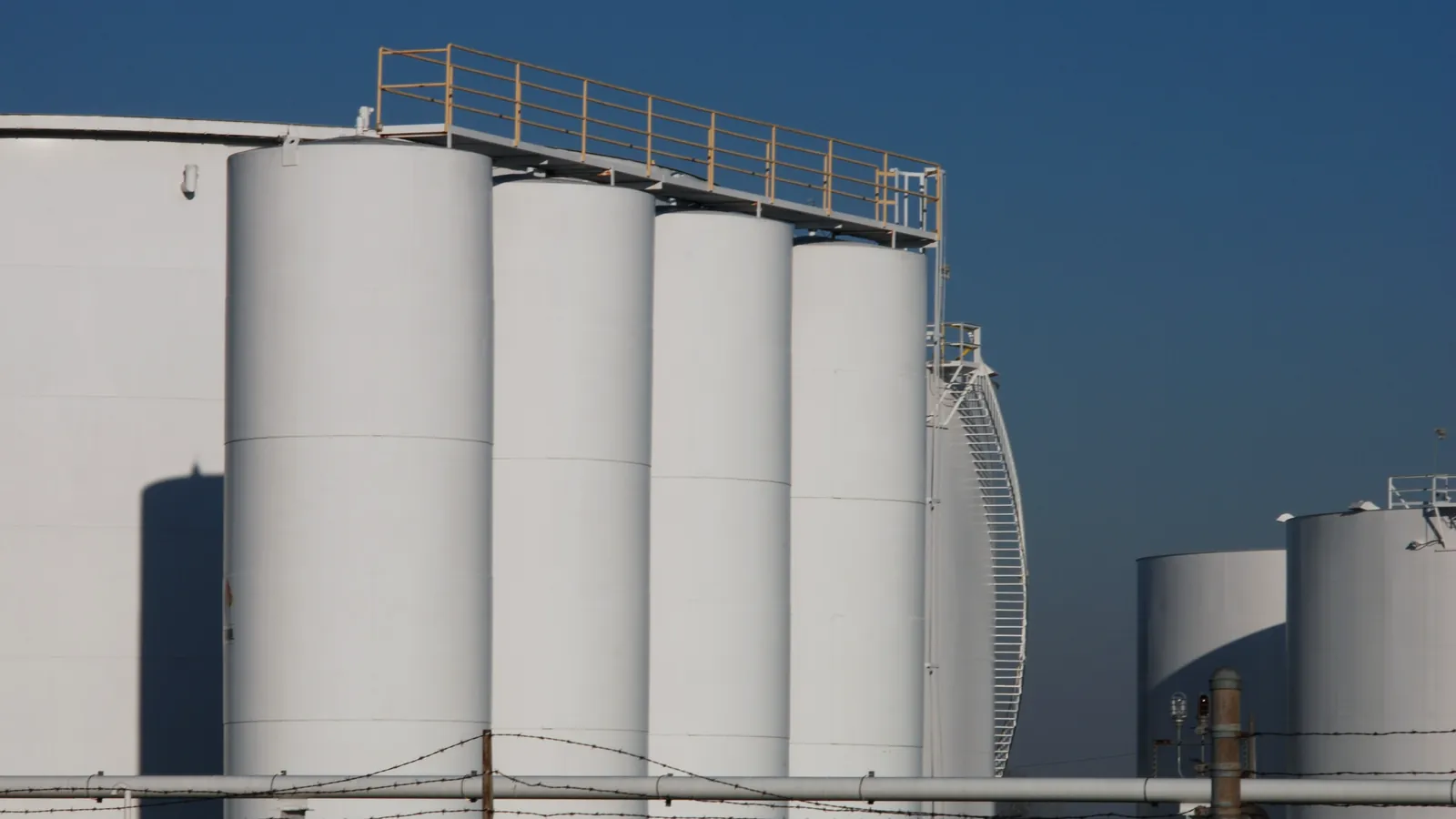
A tank management system (TMS) is an application that collects ATG data from every tank, calculates standard volume, records stock movements and issues tank tickets for receipts, deliveries and closing stock.
The automatic tank gauge (ATG) answers how high the product stands in one tank. The TMS answers the questions a terminal manager asks every morning: how much product the terminal holds, what came in, what went out and whether the figures agree. It does this by combining gauge readings with each tank's configuration and calibration table.
Citia INTEGRA TMS is Citia's TMS. It reads level, temperature and volume from the ATGs through a gateway, keeps live and historical data in an SQL database, issues tank tickets and posts physical inventory to SAP. The sections below describe how any TMS works, using that system as the reference example.
Functions
What a TMS does in a fuel terminal
In plain terms, a TMS is the stock book of the tank farm, filled in automatically from the gauges instead of by hand.
The functions repeat across vendors. The TMS application walkthrough shows them on screen. A dashboard gives each tank's level in millimetres and temperature in °C. The configuration page holds product, height, diameter, tape and bob values. A tank ticket register carries a verification step, and a monitoring table lists volume, pumpable volume, ullage and flow rate. Manual entry of water level and density is allowed where the gauge does not measure them.
The design choice that matters most is which values are measured and which are typed in. Every manual field needs a name, a time and a reason in the record, because those fields are where disputes start.
Live tank view
Level, temperature and status for every tank, with the time of the last reading.
History
Stored readings for trends, audits and investigations.
Tank tickets
Opening and closing records for receipts and deliveries, verified and printable.
Tank configuration
Product, dimensions, calibration table and manual values per tank.
Level alarms
High-high, high, low and low-low limits with operator acknowledgement.
Stock posting
Physical inventory sent to the ERP, such as SAP.
Architecture
How data flows from the ATG to SAP
Data moves in one direction: from the gauge on the tank, through a gateway, into the TMS server, and on to the business system. The reverse direction is used only for configuration and specific commands, such as asking a servo gauge to find the water interface.
The gateway is the link people forget until it fails. It polls each gauge over the field protocol, often Modbus RTU on RS-485, and passes the values to the server network. If the gateway stops, every tank in the TMS freezes at its last value. The server stores live values and history, applies the tank tables and holds the tickets. Posting to SAP happens over the intranet once a ticket or stock figure is verified.
Level, temperature and, where fitted, water and density.
Hover, focus or tap a step to read its note.Documents
What a tank ticket contains
A tank ticket is the signed record of one tank movement: what the tank held before, what it held after, and the conditions at both moments.
The fields follow the measurement chain. Level and water level give the observed volumes. Material temperature is the product temperature in the tank, while test temperature is the temperature at which the density sample was measured in the laboratory. Density and both temperatures together set the correction to standard volume. The ticket number, operation type (receipt, delivery or closing stock) and status tie the record to the operation it supports.
Verification is a step, not a formality. The Citia TMS gives each ticket separate edit and verify actions next to print and export. The point is that the figures sent onward are the ones someone has checked against the tank.
- Ticket number
- Unique reference for audit
- Date and time
- Moment of the measurement
- Operation type
- Receipt, delivery or stock
- Level and water level
- From the ATG or a manual dip
- Material and test temperature
- Tank product and density sample
- Density
- Laboratory or gauge value
- Status
- Draft or verified
Calculation
How a TMS calculates stock
The TMS does not invent volume; it applies the same calculation a gauger would do on paper, every time a value changes.
API MPMS Chapter 12.1.1 sets out how static petroleum quantities in upright tanks are calculated, and it stresses that parties can only reconcile volumes if they start from the same capacity table, levels and temperatures. The TMS therefore needs the current tank calibration table for each tank and the correct volume correction factor for each product. A receipt or a delivery is the difference between the opening and closing standard volumes on the two tickets.
Because the calculation is automatic, a small configuration error repeats on every ticket. A wrong table or a density that was never updated shifts all figures in the same pattern, so configuration checks deserve the same schedule as gauge checks.
Read the level
Take the ATG level, or the manual dip if the gauge is out of service.
Look up the table
Convert the level to total observed volume with the tank calibration table.
Remove free water
Subtract the water volume to get gross observed volume.
Correct to 15 °C
Apply the volume correction factor from density and temperature to get gross standard volume.
Close the movement
Subtract opening from closing standard volume and verify the ticket.
Comparison
ATG, TMS and TAS: who does what
Three systems touch tank data in a terminal, and confusing them leads to wrong expectations in a project scope. A common example: new gauges are expected to produce tank tickets on their own, when without a TMS and correct tables they only deliver levels.
The ATG is an instrument; it measures. The TMS is an application; it turns measurements into inventory. A terminal automation system (TAS) runs the distribution workflow from order to gate-out, including truck loading through meters and batch controllers. The TAS may read tank levels from the TMS, but it does not replace it. A longer explanation sits in TAS, TMS and TPS Integration compared.
When writing a project scope, name the system of record for each figure, for example the TMS for physical stock and the TAS for quantities loaded into trucks.
| Criterion | ATG | TMS | TAS |
|---|---|---|---|
| What it is | Instrument on the tank | Inventory application | Distribution workflow system |
| Main output | Level, temperature, water | Standard volume, tank tickets, stock | Loading orders, delivery notes, gate records |
| Typical users | Instrument technicians | Tank farm and inventory staff | Dispatch and filling shed operators |
| When it fails | No reading for one tank | Stock and tickets stop updating | Loading and gate processes stop |
Data quality
When an ATG goes offline
A tank whose gauge has stopped talking still shows a number in many systems, and that number is the risk.
A stored value does not prove the device is still sending fresh data. The TMS should mark a reading stale once its time stamp ages past an agreed limit, raise a communication alarm, and block that value from new tickets. During the outage the operator switches the tank to manual dip entry, with the reason recorded. When the link returns, the first automatic reading is compared with a fresh dip before the tank goes back to automatic.
At the Jambi fuel terminal, a gateway fault cut tank data to the TMS until the unit was replaced and the RS-485 and Ethernet lines were protected against surges. The lesson recorded there applies widely: after any device replacement, run an end-to-end test from the ATG to the TMS screen. For mixed gauge fleets, see integrating ATGs from several brands.
Flag the value
Mark the reading stale once its time stamp passes the agreed limit.
Raise a communication alarm
Separate from process alarms, so the operator knows the data path failed.
Switch to manual dips
Enter dips with the name, time and reason recorded.
Repair and test end to end
Check the path from the gauge to the TMS screen after any replacement.
Compare before resuming
Match the first automatic reading against a fresh dip.
In the field
Field notes from Citia TMS projects
Two Citia projects show the parts of a TMS job that rarely appear in a brochure: testing inside a running facility and setting up user access.
The Cikampek tank-monitoring upgrade for Pertamina in 2025 integrated monitoring of level, pressure, temperature and tank status with facilities already in operation. Before integration, the team ran wiring verification, communication tests, loop checks, I/O tests and functional tests, under permit to work and job safety analysis. According to the project notes, verifying installation and configuration before commissioning cut troubleshooting time.
At the Redeco Petrolin chemical terminal, the TMS reads tank sensors over Modbus serial communication, raises high-high, high, low and low-low alarms with operator acknowledgement, and separates access by role for admin, operator and supervisor. Role separation matters for inventory: the person who edits a ticket should not be the only person who verifies it. Once tickets are reliable, the next step is loss reconciliation, comparing book stock with measured stock every day.
Citia TMS records referenced here
- May 2025
Redeco Petrolin TMS note
Modbus tank monitoring at a chemical terminal.
- June 2025
TMS application walkthrough
Dashboard, configuration, tank tickets and monitoring.
- 2025
Cikampek tank monitoring
Integration with loop checks, I/O and functional tests.
- 2026
Jambi ATG gateway
Gateway replaced, surge protection added, end-to-end test.
Procurement
What to specify when buying a TMS
A TMS tender that only asks for a dashboard will get a dashboard. The useful specification describes the gauges, the documents and the rules the system must follow.
- Installed gauges. List every tank with gauge brand, model, interface and protocol, as the existing ATG integration checklist recommends.
- Calculation basis. Name the correction tables per product, the source of density, and who maintains the calibration tables.
- Documents. Attach the tank ticket format in use and the reports operations already signs.
- Data rules. State the stale-data limit, which fields may be entered by hand, and who verifies a ticket.
- Interfaces. Describe the ERP posting, the network path and any link to the TAS.
- Acceptance. Define the end-to-end tests per tank before go-live, including a comparison with manual dips.
With these points written down, vendors price the same scope and the commissioning team has a clear finish line.
Terms used in this guide
- Tank ticket
- Record of the opening and closing measurement of a tank movement, used to verify quantities.
- Pumpable volume
- Part of the tank contents that can actually be pumped out above the minimum level.
- Ullage
- Empty space above the liquid, shown in a TMS as the volume still available.
- Gross standard volume (GSV)
- Product volume corrected to 15 °C, used for stock and transfers.
- Gateway
- Device that polls field instruments and passes their data to the server network.
- Stock posting
- Sending a verified inventory figure from the TMS to the ERP.
- Stale value
- A stored reading whose time stamp shows the device has not reported recently.
Frequently asked questions
What is the difference between a TMS and an ATG?
An ATG is the instrument that measures level on one tank, while a TMS is the application that collects all gauges and calculates stock. The TMS adds the calibration tables, the temperature correction, history and tank tickets that the gauge alone does not have.
What is in a tank ticket?
A tank ticket holds the ticket number, date and time, operation type, level, water level, product and test temperature, density and status. Together these let anyone recalculate the standard volume of a receipt or delivery later.
How does a TMS handle an ATG that is offline?
A TMS should flag the reading as stale, raise a communication alarm and let the operator enter a manual dip with a recorded reason. When the gauge returns, its first reading is checked against a fresh dip before automatic mode resumes.
Does a TMS have to connect to SAP?
No, a TMS works on its own, but connecting it to SAP removes retyping of stock figures. Where the link exists, only verified tickets or stock figures should be posted, so the ERP receives values someone has checked.
Is TMS stock the same as the TPS or ownership balance?
No, TMS stock is the physical quantity in the tanks, while TPS and ownership balances follow documents and transaction rules. They can be reconciled, but they are calculated on different bases and at different times.
Can a TMS work with ATGs from different brands?
Yes, a TMS can read several brands if the gateway can speak each gauge protocol. INTEGRA TMS, for example, works with ATGs from Honeywell, Endress+Hauser and Tokyo Keiso, but each installed model still needs checking.
Sources and further reading
- Petroleum Measurement catalog: MPMS Chapters 3.1B, 11.1 and 12.1.1 (opens in a new tab)
- Modbus Specifications (opens in a new tab)
- Citia INTEGRA TMS: Tank Management System (opens in a new tab)
- TMS (Tank Management System) application walkthrough (opens in a new tab)
- Cikampek tank-monitoring upgrade (opens in a new tab)
- TAS, TMS and TPS Integration: what does each system manage? (opens in a new tab)
- Cover photo by Carl Young, CC BY-SA 4.0 (cropped and colour graded) (opens in a new tab)
Next step
Prepare the technical discussion for your facility.
Bring the equipment list, diagrams and symptoms you have. The Citia team helps map the next step.
Related products and solutions
- KnowledgeAutomatic tank gauging (ATG) for fuel tanks: types, working principles and accuracyAn automatic tank gauge (ATG) reads level, temperature and water in a storage tank continuously and turns them into volume with the tank calibration table.
- KnowledgeVolume correction factor (VCF) and ASTM Table 54B explainedA volume correction factor (VCF) converts fuel volume at the measured temperature into volume at 15 °C. For refined products it comes from Table 54B.
- KnowledgeFuel losses at terminals: sources, calculation and controlFuel losses are the gap between book stock and measured stock at 15 °C. This guide covers the formula, the usual causes and daily reconciliation.
- ProductINTEGRA TMSCollects ATG readings from every tank for live levels, history, tank tickets and stock posting to SAP.
- ProjectCikampek tank-monitoring upgradeTMS, integration and field testing
- NewsRedeco Petrolin: tank management systemA reference for tank level and status monitoring using Modbus at the Redeco Petrolin chemical terminal.
- KnowledgeTAS, TMS and TPS Integration: what does each system manage?Separate distribution processes, inventory measurements and document reporting before defining integration.
- ProjectJambi fuel terminal: replacement of ATG gateway (ECU) spare partThis project replaced the spare part Gateway ATG ECU-1051 Advantech at the Jambi fuel terminal to restore data communication between the Automatic Tank Gauging (ATG) and the Tank Management System (TMS) application.