
Fleet and Distribution Security
Electronic seals and fleet data: protecting fuel from terminal to station
An electronic seal records every opening of a tank-truck compartment with time and location. See how seals and fleet data work together from terminal to station and how to respond to an alert.
- Topic
- Fleet and Distribution Security
- Updated
- 13 November 2026
- Reading time
- 7 min
- Sections
- 9
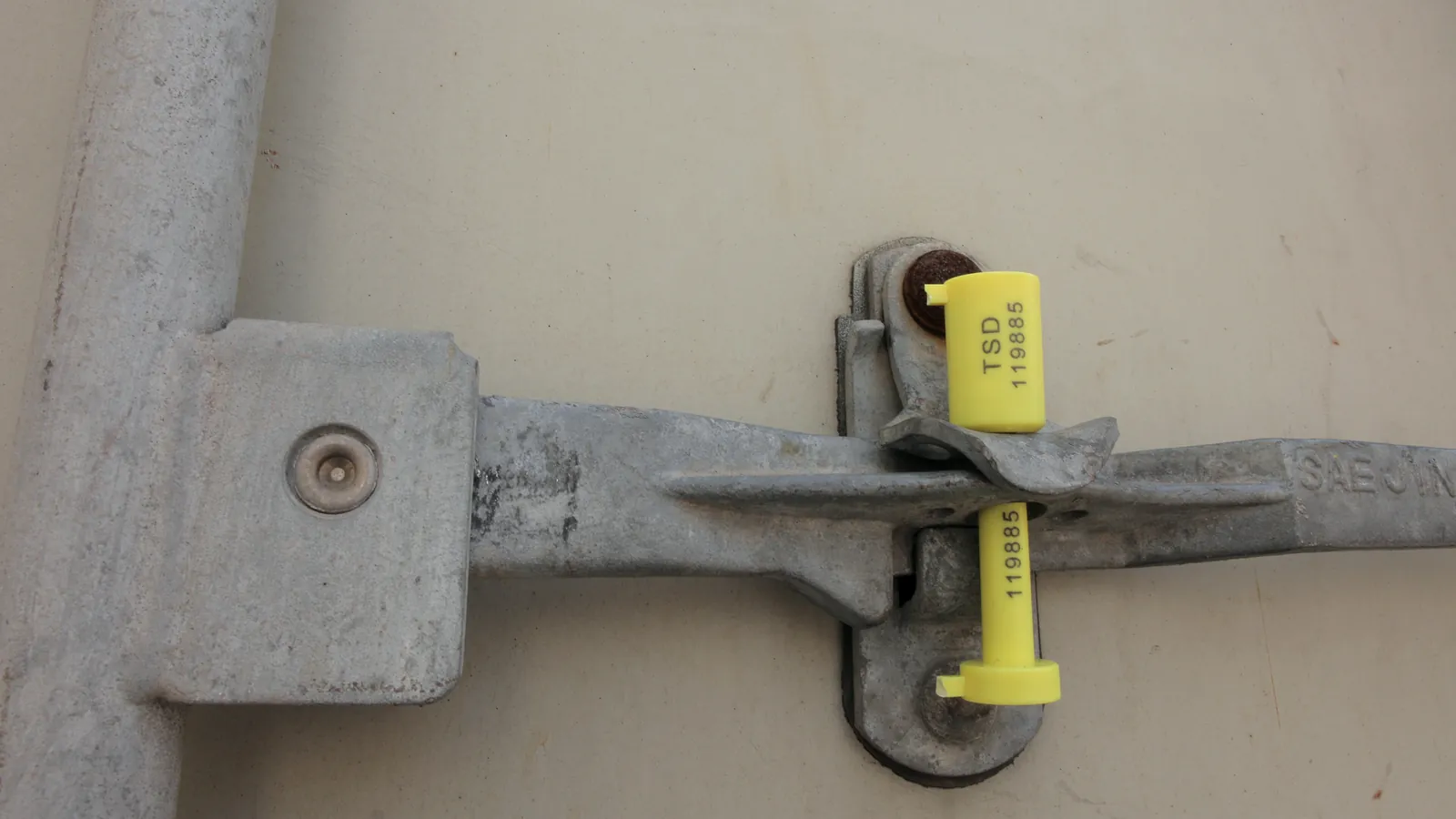
An electronic seal on a tank-truck compartment records every opening and closing with its time and location, and matches each event to the route and destination of the delivery, so an opening outside an allowed place shows up at once.
A seal is a device that shows whether a compartment has been opened since it was closed. A mechanical seal shows it once, to the person who looks at it at the end of the trip. An electronic seal reports it as it happens. This guide explains how electronic seals and fleet data work together between a terminal and a station. It covers what each data stream adds and what to check when the system is installed on a truck that carries flammable fuel.
Risk
Why the road leg needs its own protection
Between the terminal gate and the station tank, the load is out of sight of everyone who knows what it should contain.
In that stretch fuel can be diverted, a compartment can be opened and refilled with something else, or product flow can be manipulated. Citia's technical bulletin on smart locks notes that product tank distribution is prone to theft, illegal access and misuse, and that manual locks leave no clear audit trail.
A seal and fleet data do not stop a determined person. They make the act visible and attributable, which is usually what deters it and what allows an investigation. They also help honest operations: evidence that a compartment stayed sealed removes one explanation for a loss and focuses the search on the others, such as measurement differences or unloading errors.
Comparison
Mechanical and electronic seals compared
A mechanical seal proves that a compartment was not opened. An electronic seal also tells you when it was.
ISO 17712:2013 is the best-known reference for mechanical seals on freight containers, with classes for indicative, security and high-security seals. It is not written for electronic seals or tank-truck hatches, so use it as a comparison for the ideas of strength and tamper evidence, not as a requirement for a fleet seal.
Neither type wins everywhere. A mechanical seal needs no power or signal. An electronic seal gives evidence while the truck is still on the road. Many fleets use both, with the mechanical seal as the visible deterrent and the electronic record as the evidence.
| Criterion | Mechanical seal | Electronic seal |
|---|---|---|
| What it shows | Whether the compartment was opened, seen at inspection | Every open and close with time and, through the gateway, location |
| Evidence kept | The broken seal and a paper record | An event log in the fleet application, linked to the trip |
| When tampering is seen | At the next inspection | As it happens, or when the gateway next reports |
| What it needs | Seal numbers recorded by hand | Power, a gateway, connectivity and a fleet application |
| Weak point | Copied or replaced seals, handwritten records | Dead batteries, signal gaps, unprotected accounts |
Flow
From the gantry to the station
The path of a seal event runs from the compartment to a dispatcher's screen.
After loading, a seal is set on each compartment and its identity is tied to the compartment and the trip. On the road the vehicle gateway collects the seal state with position and speed and sends them to the fleet application. INTEGRA Fleet shows trips live, applies route geofences and raises alarms for events on the road, and it can show digital seal status beside the trip.
The trip links to distribution data in the TAS, which holds the order and the filled quantity per compartment (see what a terminal automation system is). At the station, an authorised opening at the destination matches the trip and closes it. An opening anywhere else is an event that someone must explain.
The gateway carries data over a cellular or similar link, which brings the usual questions of coverage and buffering. The guide on industrial IoT gateways and telemetry covers them.
Records each open and close per compartment.
Hover, focus or tap a step to read its note.Data
Fleet data that supports the seal
A seal event means more when it is read next to other data from the truck.
Fuel distributors in Indonesia have been adding connected devices to tank trucks for years. Kontan reported in September 2019 that Pertamina Patra Niaga and Telkomsel were applying IoT, including GPS tracking, to tank trucks.
A fleet platform can bring several streams into one dashboard. Citia's fleet monitoring bulletin lists GPS tracking, geofencing, driver monitoring (DMS) with driver scoring, driver assistance (ADAS), cameras, tyre pressure sensors and drum temperature. Its cargo security features detect theft, temperature changes and unauthorised door opening.
The CATALYST Fleet Gateway is the in-vehicle unit that collects data from the truck's devices and sensors and sends it to the fleet application. Sensors, connectivity and data format are chosen for each vehicle, so list the truck models and their electrical interfaces early. The seal itself is the CATALYST Digital Seal.
- GPS position and speed
- Where the truck is and how it moves
- Geofence and route
- Allowed zones; leaving them raises an alarm
- Driver monitoring (DMS)
- Driver behaviour and scoring
- ADAS and cameras
- Road events and visual evidence
- Tyre pressure and drum temperature
- Vehicle condition signals
- Seal events
- Open and close per compartment, linked to the trip
Response
When a seal opens in the wrong place
An alert is only useful if someone knows what to do with it.
Agree the response in advance with the carrier and the terminal. The steps below are a starting point. The real procedure belongs to the operator and the distributor, and it should name who calls the driver, who decides and how a decision is recorded.
Watch for alert fatigue. If dispatchers see dozens of false alerts a day, they stop reading them, and the one real event is lost among the rest. Tune geofences around stations and rest stops, and review the alert list weekly in the first months so that every alert that remains deserves an answer.
Alert is raised
The fleet application flags an open event outside the allowed geofence or route.
Check the context
Look at the trip, the position history, the speed and any camera evidence.
Contact the driver
The dispatcher calls and asks for the reason.
Record the decision
Approved stop, error or unexplained, with time and name.
Escalate if unexplained
Notify the terminal supervisor and the carrier as the procedure says.
Close with evidence
Keep the event log, trip replay and notes together.
Field note
Installing on a tank truck
A device on a fuel tanker has to be safe first and clever second.
The Smart Seal Lock project at Pertamina Pulau Baai in Bengkulu (2025) aimed to secure fuel distribution from the terminal to the destination station, so that delivery is safe, monitored and follows the set procedures. Its record says the layout of components, including the router and the Main Control Unit (MCU), had to be planned so the system works, is easy to maintain and meets safety standards.
Because the vehicle carries flammable fuel, all installation work followed the applicable safety procedures, and the position of each device must not disrupt operations or raise a safety risk. Talking with the tank truck technicians and supervisors helped choose the mounting positions, and joint evaluation found the best solution. A related Citia job in 2024 fitted ergonomic tablet stands for 79 SMART MT units for Indosat and Pertamina, and its project record stresses mounting strength against vibration, tidy cable routing and a test before handover.
Ask the carrier early whether its own safety rules require an approval, a drawing or an inspection before devices go on a truck. Label every cable and keep a wiring record per vehicle, so a technician at a depot can service the unit without guessing.
Upkeep
Keeping the system healthy
A seal that has gone silent looks the same on the dashboard as a seal that is working, unless someone checks.
Build a short monthly routine. Look at which devices have not reported recently, because a quiet device may be a dead one. Check the clock, since event times only mean something when every device agrees on the time. Review the geofence list against the current delivery routes and stations. Review the user accounts and remove people who have left. Finally, trigger a test event on a spare compartment and confirm it reaches the dashboard and the alert list.
Treat a silent seal as an alert in its own right. In the contract with the provider, state who watches device health and how fast a failed unit is replaced, as the LTSA guide describes for control systems.
Device status
Which seals and gateways reported recently, and which went quiet.
Clock agreement
Every device on the same time, so events line up.
Geofence review
Zones match the routes and stations in use today.
Accounts and test
Old users removed, and a test event proves the whole path.
Rollout
Starting with a pilot
A small pilot teaches more than a full fleet rollout planned on paper.
Pick one route and a handful of trucks that are easy to reach for adjustments. Define what success looks like before installing: events arrive on the dashboard, alerts are answered within the agreed time, and the seal record matches the delivery note on every trip. Review the data every week with the dispatchers and drivers who use it, and note false alerts, because geofences and thresholds almost always need tuning.
Extend to more routes only when the pilot closes its own findings. The rollout then carries the tuned geofences and the agreed response procedure with it.
Governance
Data, privacy and responsibility
Seal and fleet records are evidence, and some of them are personal data.
Driver monitoring and cameras capture information about people. Agree with the carrier and the drivers' employer what is recorded, who may see it, how long it is kept and what it may be used for. Keep seal events and trip logs in a form that cannot be edited quietly, and record who accessed them, because an investigation depends on the record being trusted.
Give each role only the access it needs. A dispatcher needs live trips and alerts. A supervisor may need replays. Few people need the right to change a geofence or delete an event.
Terms explained
- Electronic seal
- A seal that records openings and closings electronically and reports them.
- Geofence
- A virtual boundary on a map; crossing it can trigger an alarm.
- Vehicle gateway
- The unit in the truck that collects device data and sends it to the server.
- Trip
- One delivery from loading to the destination, linked to its order and route.
- DMS
- Driver monitoring system: watches signs of driver behaviour and fatigue.
- ADAS
- Advanced driver assistance system: warns about road hazards such as a close vehicle.
- MCU
- Main Control Unit: the central device of the smart seal installation on the truck.
Frequently asked questions
What is the difference between a mechanical seal and an electronic seal?
A mechanical seal shows that a compartment was opened, seen when someone inspects it. An electronic seal records every opening and closing with time and, through the gateway, location, and reports it while the truck is still on the road.
What happens if the seal is opened outside the geofence?
The fleet application raises an alert, and a dispatcher checks the trip and asks the driver for the reason. The decision is recorded, and an unexplained opening is escalated according to the agreed procedure.
How is seal data linked to the delivery documents?
Through the trip. The seal identity is tied to the compartment and trip, and the trip links to the TAS order and the filled quantity per compartment, so the seal record and the delivery note describe the same load.
Can an electronic seal prevent fuel theft by itself?
No. It makes openings visible and attributable, which deters and supports investigation. Prevention also needs procedures, a response to alerts, secure accounts and a mechanical deterrent where it fits.
What is the difference between a smart seal and a smart lock?
A seal records whether a compartment was opened. A smart lock also controls the opening: Citia's bulletin describes PIN and OTP authorisation, opening only at official locations by GPS, and cloud logging of every action.
What fleet data does a terminal usually need?
Position, trip and geofence status, seal events and the link to the delivery order come first. Driver monitoring, cameras and vehicle sensors add context, and each adds a data-handling duty.
Sources and further reading
- CATALYST Digital Seal (CT-PS) (opens in a new tab)
- INTEGRA Fleet (opens in a new tab)
- CATALYST Fleet Gateway (CT-FG) (opens in a new tab)
- Pertamina Pulau Baai: Smart Seal development (opens in a new tab)
- Smart lock: preventing unauthorized access in product tank distribution (opens in a new tab)
- Fleet monitoring: real-time vehicle and cargo data for safer operations (opens in a new tab)
- BS ISO 17712 Freight containers: Mechanical seals (2010 edition listing) (opens in a new tab)
- Pertamina Patra Niaga mulai adopsi teknologi digital di mobil tangki (opens in a new tab)
- Cover photo by ElHeineken, CC BY 3.0 (cropped and colour graded) (opens in a new tab)
Next step
Prepare the technical discussion for your facility.
Bring the equipment list, diagrams and symptoms you have. The Citia team helps map the next step.
Related products and solutions
- KnowledgeTPS Online (Indonesian Customs): what it is, who must report and how it worksTPS Online is the electronic data exchange between customs and a temporary storage (TPS) operator for goods entering and leaving. Learn who must connect, what is reported and what to do when a response is unclear.
- KnowledgeFuel losses at terminals: sources, calculation and controlFuel losses are the gap between book stock and measured stock at 15 °C. This guide covers the formula, the usual causes and daily reconciliation.
- KnowledgeUnmanned weighbridges and ERP integrationAn unmanned weighbridge identifies, positions, weighs and issues the ticket without an operator, then posts to the ERP. Equipment, controls and rollout.
- ProductCATALYST Digital SealElectronic seals on tank-truck compartments that report every open and close.
- ProductINTEGRA FleetShows where each vehicle is, how its trip is going and what happened on the road.
- ProductCATALYST Fleet GatewayAn in-vehicle gateway that collects tank-truck data and sends it to the fleet application.
- ProjectPertamina Pulau Baai: Smart Seal developmentSmart Seal Lock secures fuel delivery from the terminal to the destination fuel station (SPBU); the project covered design and installation on tank trucks.
- NewsSmart lock: preventing unauthorized access in product tank distributionCovers Smart Lock authorization with PIN and OTP, GPS tracking, and cloud-based distribution recording and monitoring.
- NewsFleet monitoring: real-time vehicle and cargo data for safer operationsCovers fleet monitoring through GPS, geofencing, DMS, ADAS, cameras, tire pressure sensors and temperature monitoring in one dashboard.