
Reliability
PLC/SCADA assessment: start with symptoms, topology and backups
Separate equipment, communications, applications and operating processes before deciding on replacement.
- Topic
- Reliability
- Updated
- 5 November 2026
- Reading time
- 2 min
- Sections
- 5
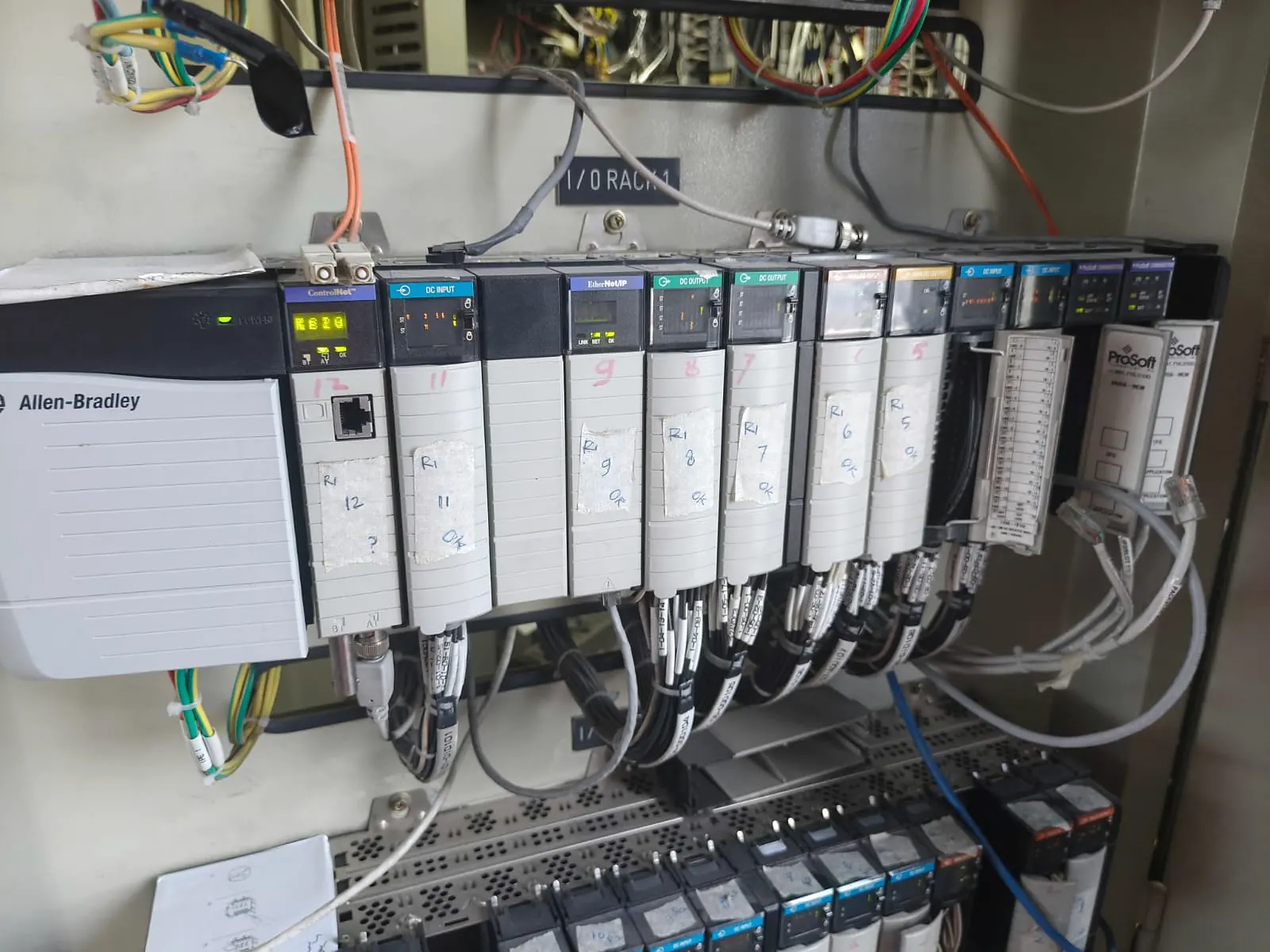
The same symptom can originate in different layers
A frozen HMI value can relate to a sensor, power supply, PLC, network, gateway, driver or application. Replacing a component without an investigation trail can move the problem without explaining its cause.
Start with the observed symptom, when it occurs, its frequency and the operating conditions. Logs, screenshots and operator notes are more useful when their timestamps can be compared.
A frozen HMI value can start at the sensor.
Hover, focus or tap a step to read its note.Build an installed-base baseline
An asset register identifies device models, program versions, firmware, locations, interfaces and available support. The topology shows actual relationships between PLCs, remote I/O, HMI/SCADA, gateways, switches and servers.
If existing documents are incomplete, record that uncertainty as a finding. An honest baseline helps prioritize checks and documentation needs.
A backup needs recovery context
A backup file alone does not establish recoverability. Record its version, date, source, target equipment and license/configuration dependencies. Verification planning must consider risk and operating windows.
PLC programs, gateway configurations, databases, SCADA projects and engineering documents serve different roles. Preserve their relationships so one backup is not assumed to cover every layer.
Assessment outputs should support the next action
Citia reliability material describes asset health registers, diagnostic reports, recommendation registers and backup/lifecycle registers. Recommendations should explain findings, impact, priority and verification steps within the agreed scope.
Not every finding requires replacement. Configuration work, communication restoration, documentation or preventive maintenance can be follow-up actions after the cause is understood.
Asset health register
Diagnostic report
Recommendation register
Backup and lifecycle register
Prepare before the technical visit
Prepare available material and mark uncertain items. Access to or changes in operating systems follow facility procedures.
- Symptoms, occurrence times and example logs
- Asset list, topology and existing documents
- Backup list and version information
- Scope areas, accompanying staff, permits and work windows
- Required outputs and follow-up criteria
Next step
Prepare the technical discussion for your facility.
Bring the equipment list, diagrams and symptoms you have. The Citia team helps map the next step.